
Two Safari bugs
Doing front-end development over the last couple of months, I've been reminded to test web apps in Safari. It exhibits some surprising bugs. Here are two I encountered recently.
foreignObjects
The first was in Causation, my simple cause-and-effect diagrammer. It renders everything in an SVG, and makes the text in nodes editable by embedding HTML using foreignObject. Turns out Safari has multiple foreignObject bugs. I ran into one which rendered every foreignObject in the wrong location, and another that rendered the elements on top of the elements that cover the SVG.
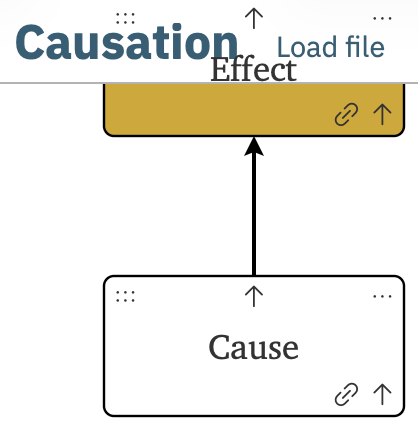
I fixed the positioning problem by calculating view transforms myself. I haven't yet fixed the overlay problem with foreignObjects, but I think I'll move the HTML content into a purely HTML layer over the SVG, then position elements absolutely. Most of the UI is an infinite canvas, so some glitches over the toolbar at the top are minor.
grid-template-columns and grid-template-rows
On another project, I used CSS's grid-template-columns and grid-template-rows to create a square grid:
.grid {
  display: grid;
  grid-template-columns: repeat(var(--column-count), 1fr);
  grid-template-rows: repeat(var(--row-count), 1fr);
}
The .grid DOM element can then specify its size by setting an element-level style attribute with the value --column-count: 5; --row-count: 5.
But on Safari, switching from a grid of fewer tiles to one with more tiles in the same width caused the grid to overflow its bounds:
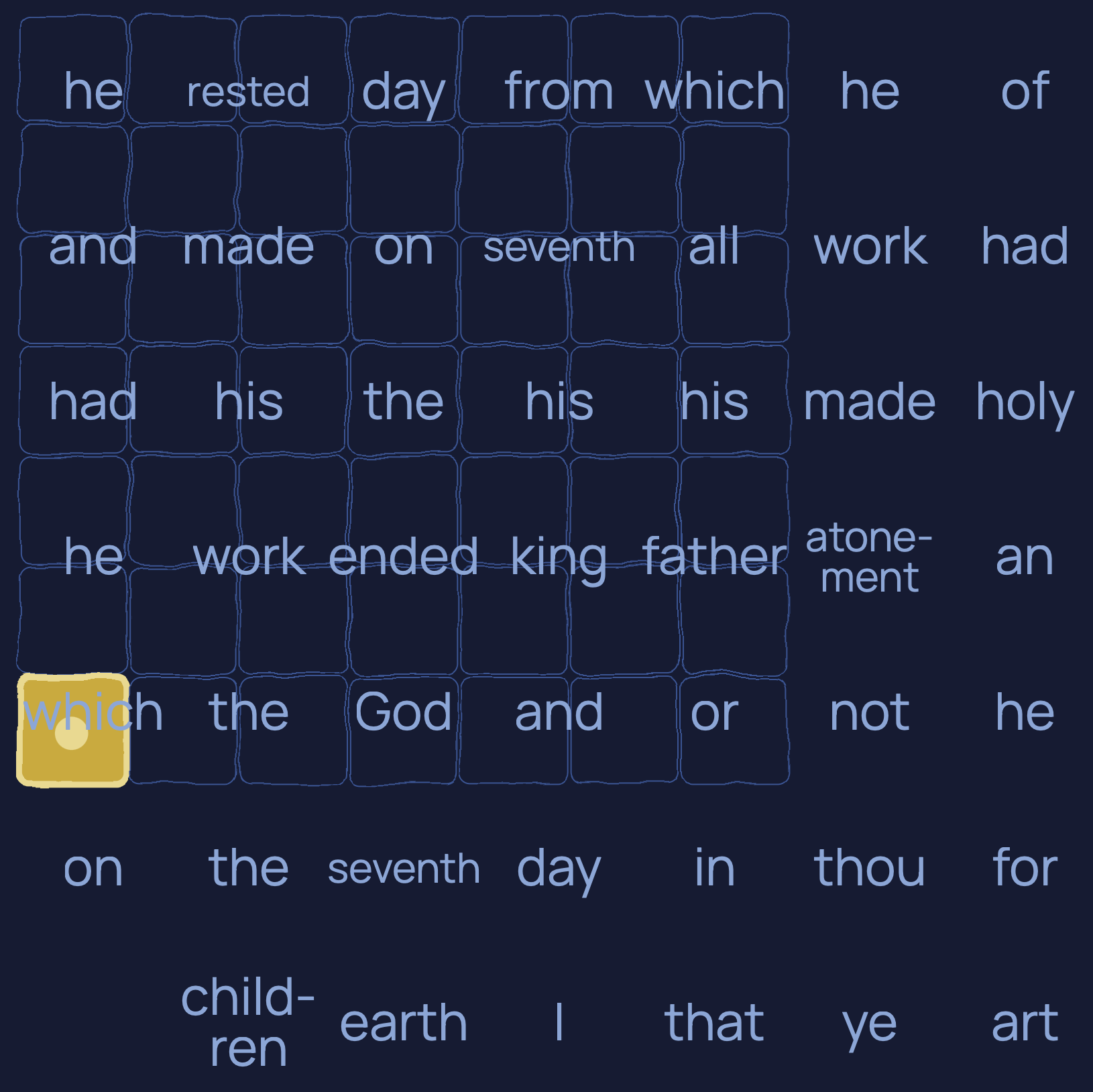
The layout gets fixed on the next reflow. A couple suggested workarounds didn't help, so I ended up removing the CSS grid properties and instead set a percentage width for the tiles.