
Different ways to define a data visualization
For a personal statistics platform, data entry is the easy part. The hard part is enabling users to create visualizations. When I've plotted data, I've mostly used code, but that's not approachable for the average person, so Two Ravens currently offers four different approaches. I haven't done any UX research on which is best. If you have recommendations on how people think about building data visualizations, email me.
JSON
Ultimately, a view must be data so it can be persisted to a database. Vega uses JSON to provide "a visualization grammar", in which fields are recognized and rendered into graphs. The grammar is extensive in order to accommodate a wide variety of uses, so Vega-Lite gives users a higher-level grammar that's more succinct but less flexible. I could have used either Vega or Vega-Lite JSON definitions, but I wanted to go a slightly different direction based on both how I've used Vega and how I envisioned constructing views incrementally in Two Ravens. I did, however, follow Vega's example and define views using a JSON grammar.
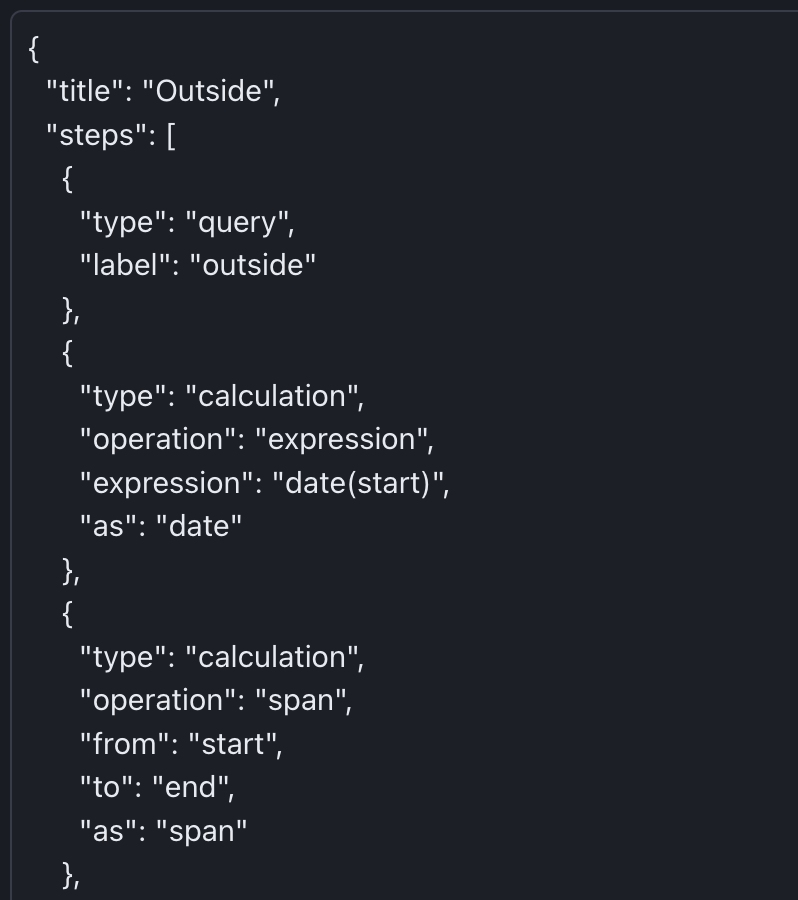
The advantage of using a JSON definition is that scripts can generate definitions using common data structures. For example, most of the Vega plots I've created weren't written by hand but output by a chain of Clojure functions passing a single map. Composing data is a lot simpler than building up imperative code by concatenating strings.
The JSON grammar I devised was at least as verbose as Vega's, and more unwieldy, but it gave the app a foundation on which to build better ways for users to construct views.
Visual builder
A visual builder is usually a big undertaking, and tedious to implement. Two Ravens is built by Claude, and Sonnet had no trouble generating a UI based on the JSON schema for views. The visual builder was much more convenient than writing JSON definitions, even by script, and it's possibly the most user-friendly option for creating a view. All the steps for creating a pipeline are discoverable, with brief documentation provided close to the widgets. Individual steps can be expanded or collapsed, though Claude decided that only one step should be open at a time; I haven't corrected it, so if you have an opinion, email me.
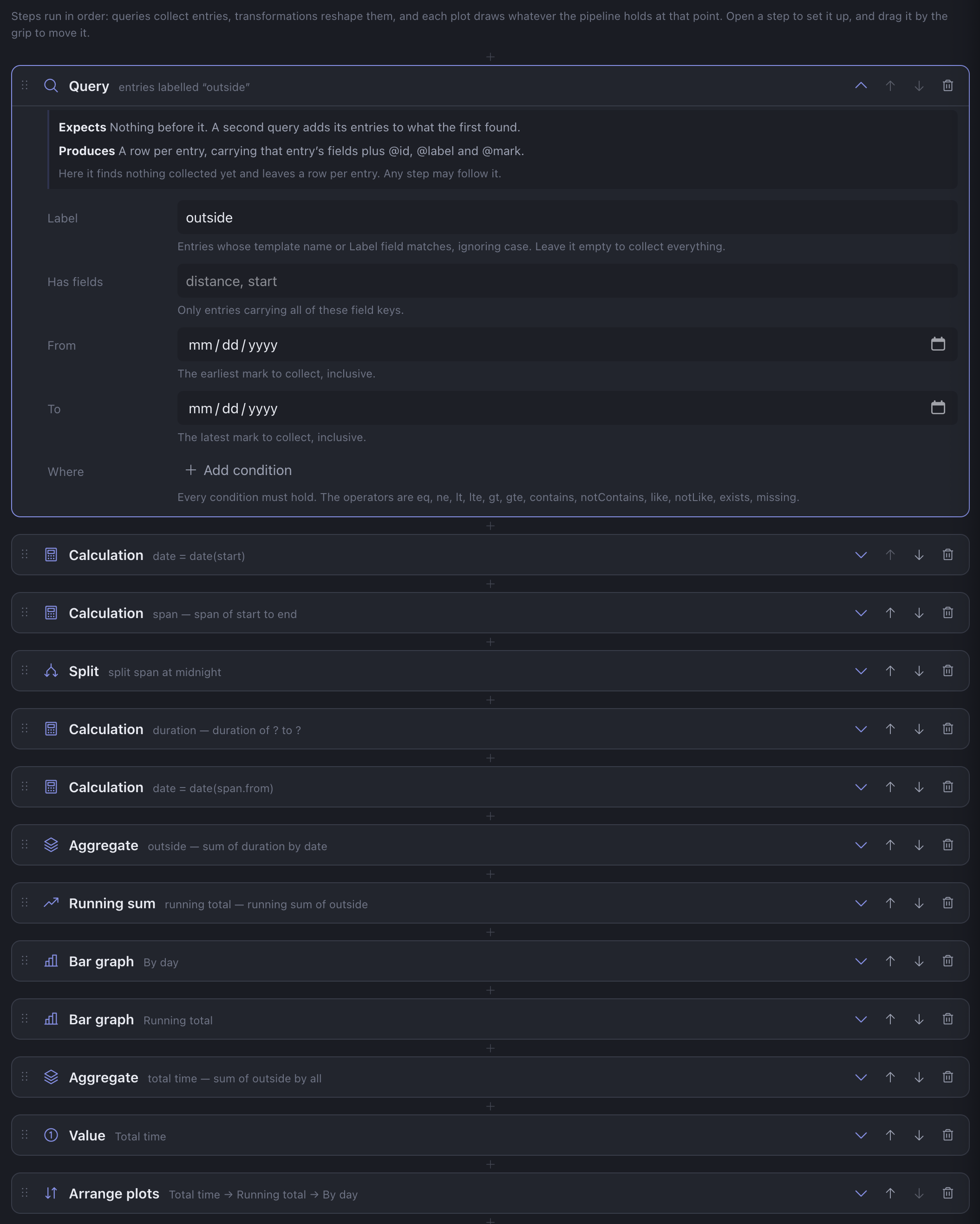
Changes in the visual builder update the underlying JSON definition, which is still editable, in case, say, you want to copy it into a note, an email, or an LLM prompt. Obsidian Bases works in a similar way. A table of notes is interactive, with builders for filters and properties, and changes are written back to the Base's YAML definition.
For as much of an improvement as it is over writing JSON definitions, the visual builder does have a few downsides. First, I haven't hidden anything away as an "advanced feature", so users are immediately presented with a lot of options for creating views, and the list of choices can be overwhelming. That mainly affects newcomers. The second problem affects more frequent users, which is that building a non-trivial view involves a lot of clicking. Finally, some of the steps accept blocks of other steps, so the visual builder can end up with several levels of nested pipelines.
Domain-specific language (DSL)
To reduce the amount of clicking and stick more to the keyboard, I asked Claude for a DSL that would generate a JSON definition. The JSON definition is a list of stacked transformations, so Claude suggested an F#-like |> operator to chain steps. Beyond that, the language is mostly keyword arguments and blocks delimited by curly braces. The goal is to show only the important information, with as little distraction as possible. This is the view builder I typically use.
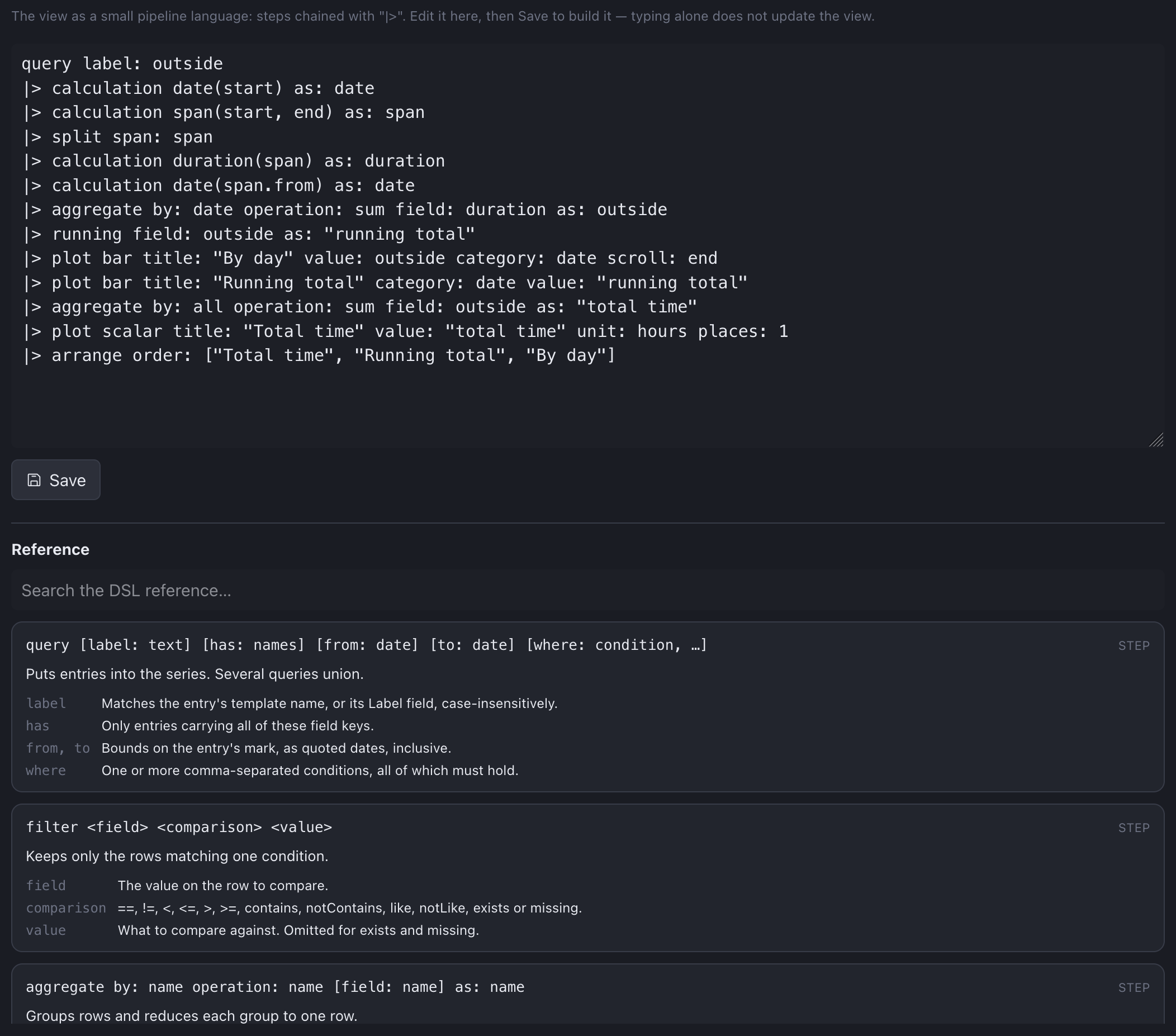
The DSL does need some reference documentation, so below the code for the view is a searchable section that briefly describes each available transformation. Usually, though, when I'm not sure about the syntax in the DSL, I just use the visual builder. The DSL generates JSON, which drives the visual builder, and when changes are made in the visual builder, it not only updates the JSON definition but generates a DSL script. So if I'm not sure how to use a transformation, I use the visual builder, then switch back to the DSL to see what it looks like.
LLM
The last builder is the friendliest for newcomers: using an LLM. At the moment it only supports a local Ollama model, which for me is quite a bit slower than just typing a DSL definition, but for users who don't know the DSL and don't want to experience the tedium of the visual builder, an LLM can be a good option. The LLM is given the documentation offered by the DSL, as well as the names of the labels and fields on your entries, then it constructs a DSL definition and populates the text area.

I haven't used this a lot, but it's probably the best way to debug a view definition. There are some failure and error messages, but every now and then I encounter some confusing behavior, and an LLM can sometimes straighten out my naive definition.
Conclusion
I enjoyed experimenting with how the different modes build on each other. I've had jobs where I wished the UI had a data-based definition instead of being hard-coded, or where low-level JSON could be expressed with a DSL or built from a rich UI. Now I have a system with all three, plus one: a visual builder and DSL which stand on a JSON foundation, and an LLM builder that stands on the DSL.
I primarily use the DSL, but all four modes remain in the app. I've been glad to have the visual builder for occasional tweaks, since for isolated edits it can be simpler than making sure I don't mess up the DSL code. I haven't touched any JSON definitions in a long time; maybe that can fade from the UI and become just an implementation detail.
If you have experience with the advantages and tradeoffs of user-facing script builders, email me. I'm curious to hear your thoughts on how this system can improve.